
Howto, ubuntu
- 2:39 AM - 0 comments
How to Install Hamachi (with GUI) in Ubuntu 8.04 Hardy Heron
Hamachi is a freeware application that initiates a virtual private network (VPN) between peers. This is extremely useful for initiating applications such as games over the Local Area Network (LAN).
This tutorial is for setting up Hamachi with a gui based interface (optional) in Ubuntu 8.04 Hardy Heron.
1. Download Hamachi
2. Extract it somewhere.
3. Open up a terminal and CD into the directory.
4. Run 'make install' or 'sudo make install' to install hamachi.
5. Run hamachi-init to generate crypto identity.
6. Download and Run hamachi-gui - x86
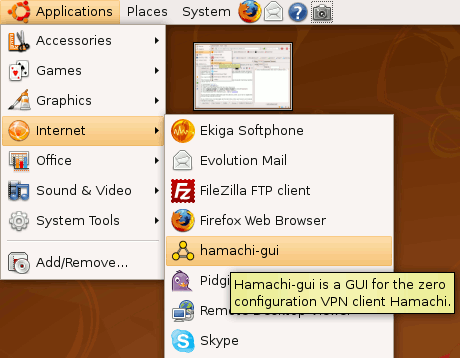
*** More information about Hamachi, click here
Download Hamachi || Download Hamachi-GUI-x86
This tutorial is for setting up Hamachi with a gui based interface (optional) in Ubuntu 8.04 Hardy Heron.
1. Download Hamachi
2. Extract it somewhere.
3. Open up a terminal and CD into the directory.
4. Run 'make install' or 'sudo make install' to install hamachi.
5. Run hamachi-init to generate crypto identity.
6. Download and Run hamachi-gui - x86
*** More information about Hamachi, click here
Download Hamachi || Download Hamachi-GUI-x86









0 Responses to "How to Install Hamachi (with GUI) in Ubuntu 8.04 Hardy Heron"
Post a Comment